Shift Calendar
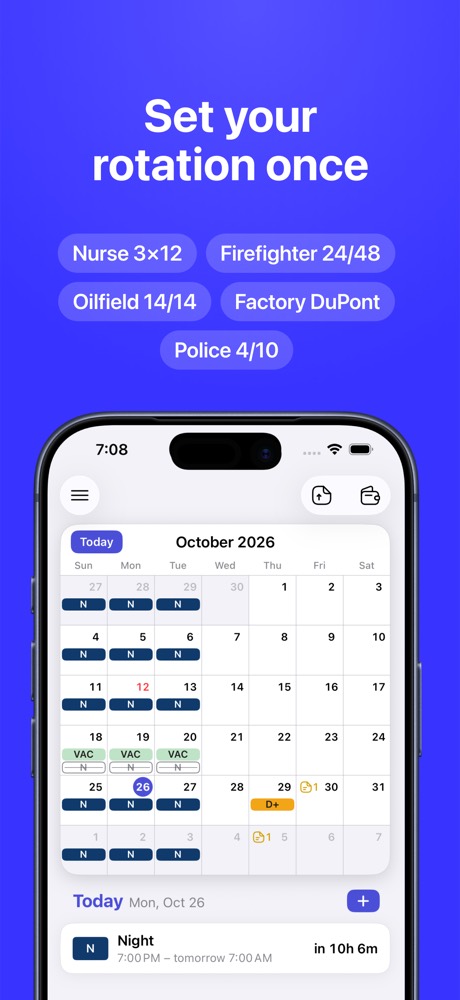
Set your rotation once – see when you work and when you're off for years

Free · iPhone, iOS 18+ · No account, no ads
For your schedule
- Nurses – 3×12, nights, 7 on / 7 off, per diem
- Firefighters – 24/48, 48/96, 24/72, Kelly
- Police and EMS – 4/10, 24/48, 2-2-3, 4 on / 4 off
- Factory – DuPont, 2-2-3 Pitman, Continental, 8-hour rotations
- Oilfield, mining, FIFO – hitch 14/14, 21/7, 28/28
- No fixed pattern – tap the days you work
What you get
- Your rotation filled for years
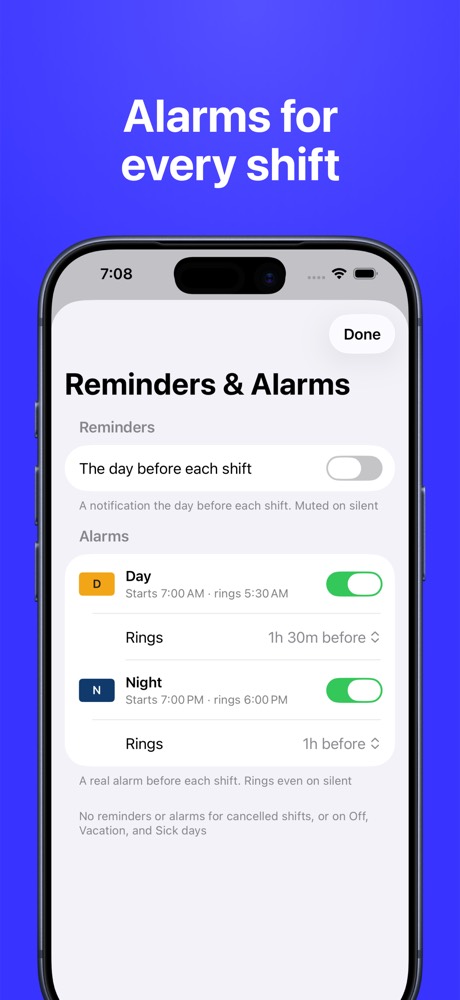
- An alarm before every shift – rings on silent
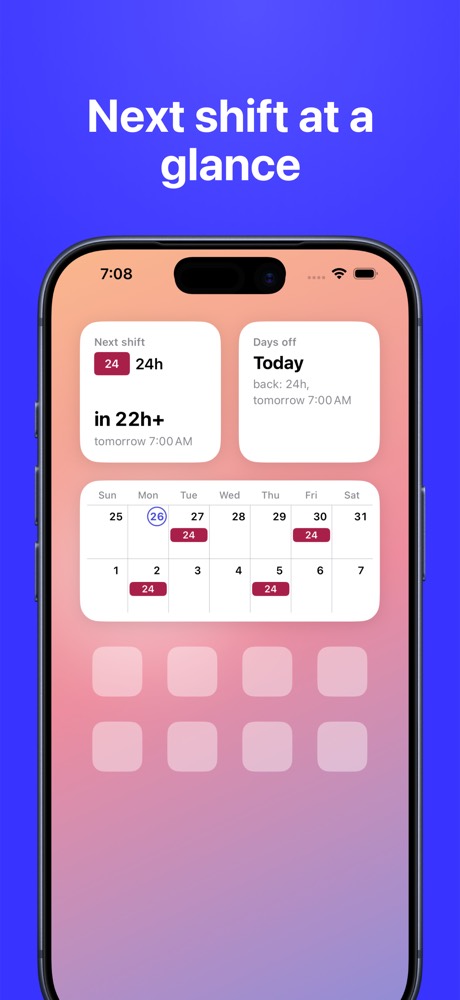
- Next shift and days off in widgets
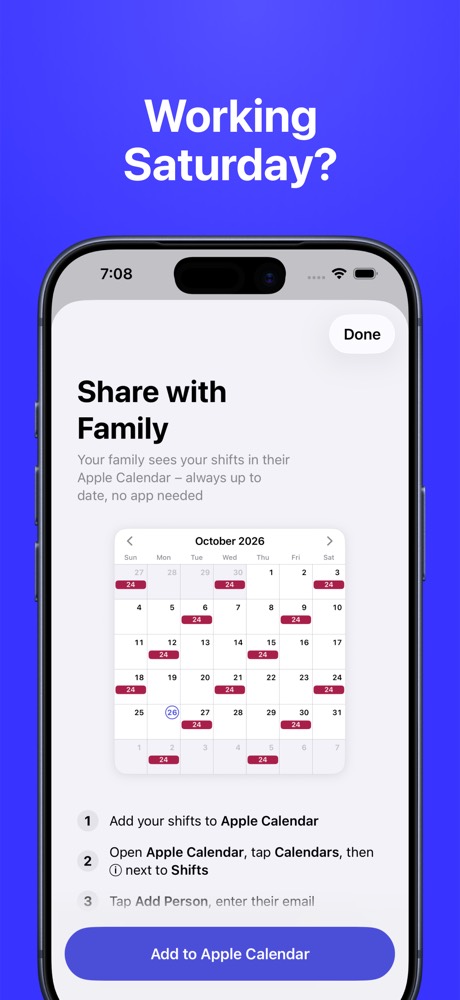
- Your family sees your shifts in Apple Calendar
- What you'll earn each pay period
Guides
Schedules: 24/48 · 48/96 · 24/72 · Kelly · 3×12 · 7 on 7 off · 4 on 4 off · 2-2-3 Pitman · DuPont · Continental · 4/10 · 8-hour rotation · FIFO and hitch · Your own rotation
Jobs: Firefighters · Nurses · Police · Paramedics and EMS · Factory
How to: Share your schedule with family · Shift alarm · Shift pay calculator
Questions
What is Shift Calendar?
Shift Calendar is an iPhone app for people who work shifts. You set your rotation once – 24/48, Kelly, DuPont, 2-2-3, 3×12, hitch 14/14 or your own cycle – and the app fills your calendar for years, so you see when you work and when you're off at a glance.
Is Shift Calendar free?
Yes. The whole calendar is free, with no locked months and no ads: rotations, shifts, notes, holidays, reminders and shift alarms. Pro adds widgets, pay in Earnings and Share with Family – $19.99 a year with a 7-day free trial, $3.99 a month, or $49.99 once (US prices).
Which shift schedules does it support?
24/48, 48/96, 24/72, Kelly, 3×12, 7 on / 7 off, 4 on / 4 off, 2-2-3 Pitman, DuPont, Continental, 4/10, 5/2, 8-hour rotations and hitches 14/14, 21/7 and 28/28. Any other cycle can be set up as your own, with days and nights.
My schedule changes every week. Will it work for me?
Yes. You don't need a rotation: tap the days you work for the next weeks, each shift with its own time. Per diem nurses, retail and restaurant workers use it this way.
Can I add pick-ups, vacation and sick days?
Yes. Add a pick-up or an extra shift, vacation, sick days, notes, or cancel a shift in a tap – your rotation stays as it is. If your rotation changes, switch from today and past months stay as they were.
Can my family see my work schedule?
Yes. Share with Family puts your shifts into a calendar in Apple Calendar. Share it with your family from the Calendar app – they see every shift in their own calendar, and it updates by itself when your schedule changes. Your family doesn't need the app.
Does the shift alarm ring on silent?
Yes. Shift Alarm is a real alarm on iOS 26 or later: it rings on silent and in Focus, at a set time before each shift, and moves with your schedule. On iOS 18 you get a reminder notification the evening before instead.
Can it calculate my pay?
Yes, with Pro. Set an hourly rate or a rate per shift, and Earnings shows what you earn each pay period – weekly, every 2 weeks, twice a month or monthly – with extra shifts, vacation and sick pay. It's an estimate before taxes and overtime.
Does it show holidays?
Yes. Public holidays for the US, UK, Canada, Australia, New Zealand, Ireland and Singapore, and your iPhone calendar events next to your shifts.
Do I need an account?
No. There is no sign-up and no ads. Your schedule stays on your iPhone and is included in your iPhone backup.
Is there an Android version?
Not yet. Shift Calendar is for iPhone with iOS 18 or later.